
Supervise every adviser from one place. Without adding compliance staff.
Complaints, breaches, reviews and deadlines across your network, as they happen.
- Complaints flagged from client email
- Breach clocks tracked from the day you knew
- Every SoA reviewed before it reaches a client
- less SoA production time, reported by Frazer Walker, an AFSL holder
- 60%less SoA production time, reported by Frazer Walker, an AFSL holder
A dated result from one licensee. Yours will depend on your network.
Finally, AI our compliance team actually approves. Everything stays on our servers, audit trails are built in, and our advisers are spending time with clients instead of fighting Word templates.
 Head of ComplianceFrazer Walker · AFSL holder
See the problem before it becomes a breach.
- 1
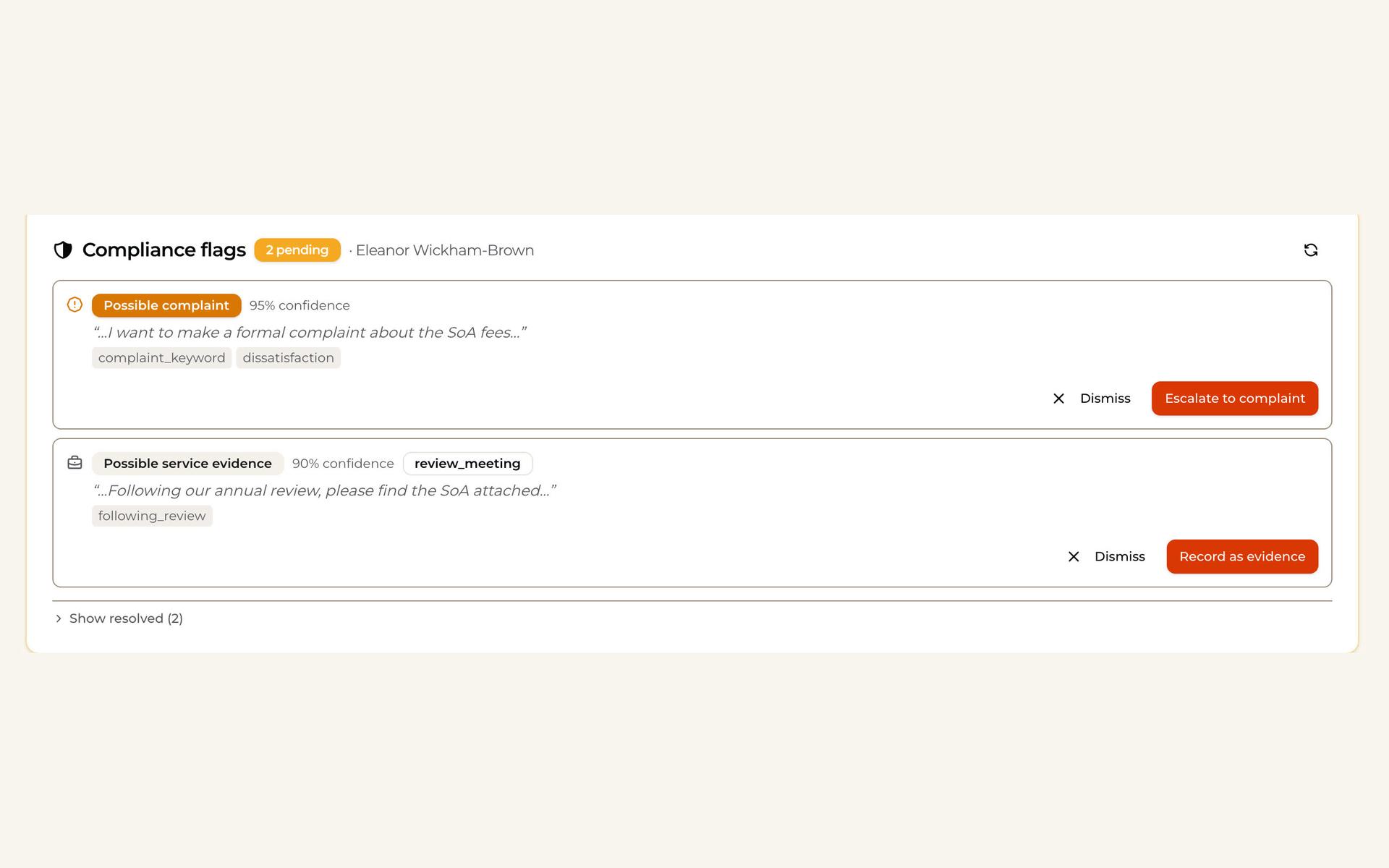
A complaint is spotted in the inbox
When a client’s email reads like a complaint, it is flagged on their file with the words that triggered it. One click opens the complaint record.
- 2
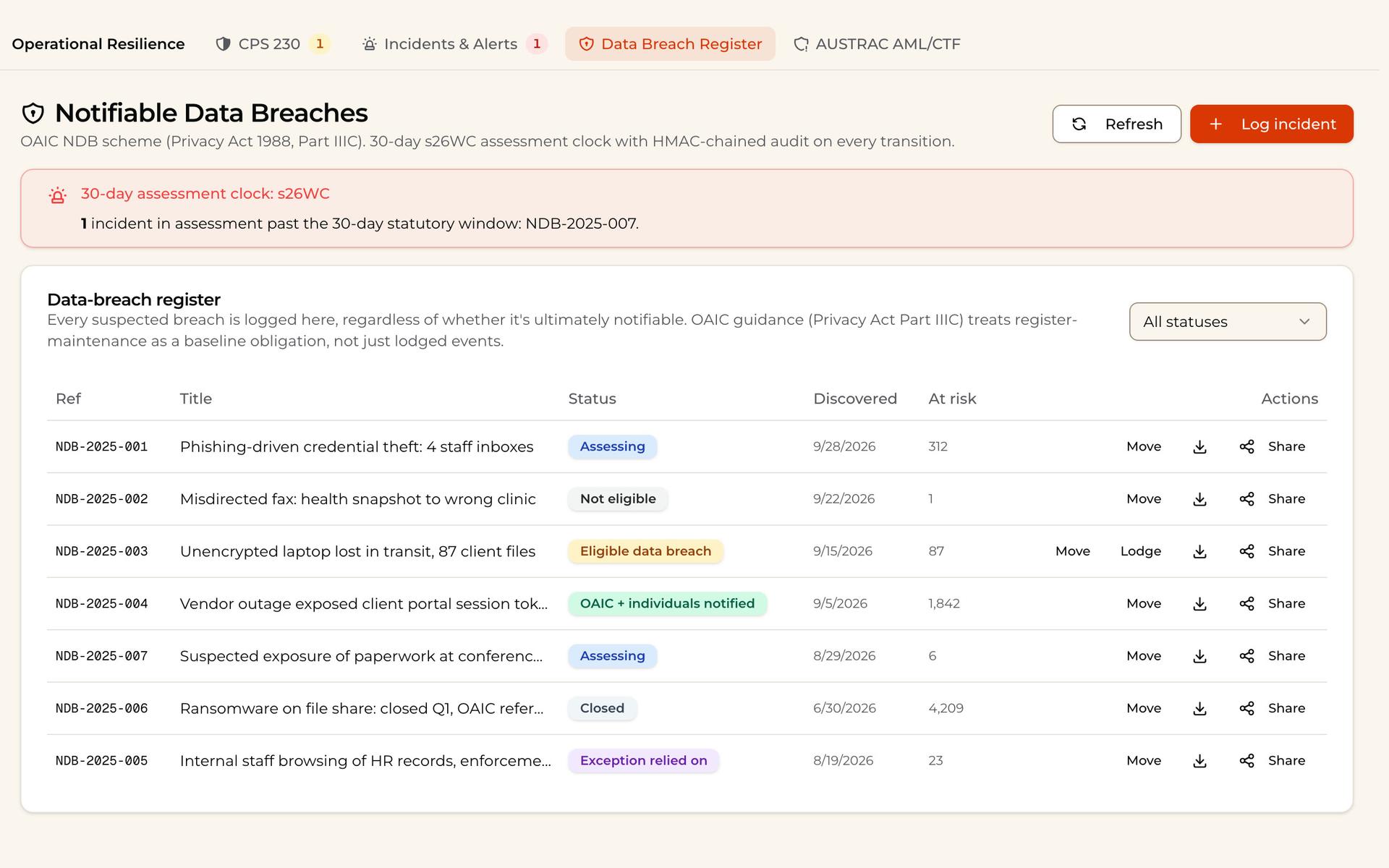
Breaches run on the clock
Every suspected data breach is logged with its 30-day assessment clock, and anything past its window is called out at the top.
- 3
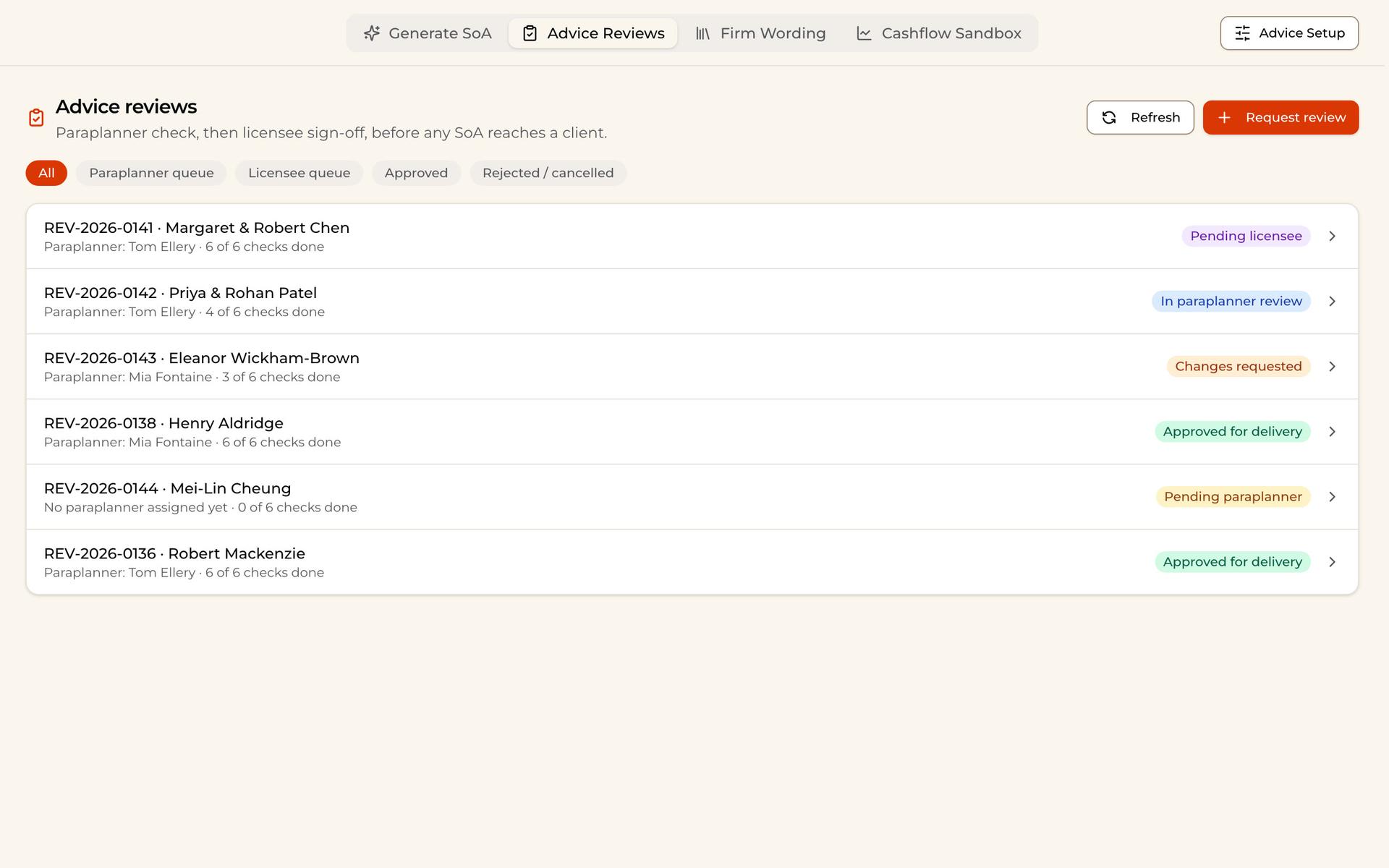
No SoA leaves unreviewed
Every SoA goes through a paraplanner check, then licensee sign-off, before it reaches a client. Each review shows how many checks are done.
Built to hold up at audit.
Advice reviewed first
A paraplanner check, then licensee sign-off, before any SoA reaches a client.
Clocks from awareness
Deadlines run from the day the firm knew, not the day it was logged.
One view of the network
Each practice sees its own files; the licensee sees them all.
A record ASIC can follow
Every change is logged and tamper-evident.
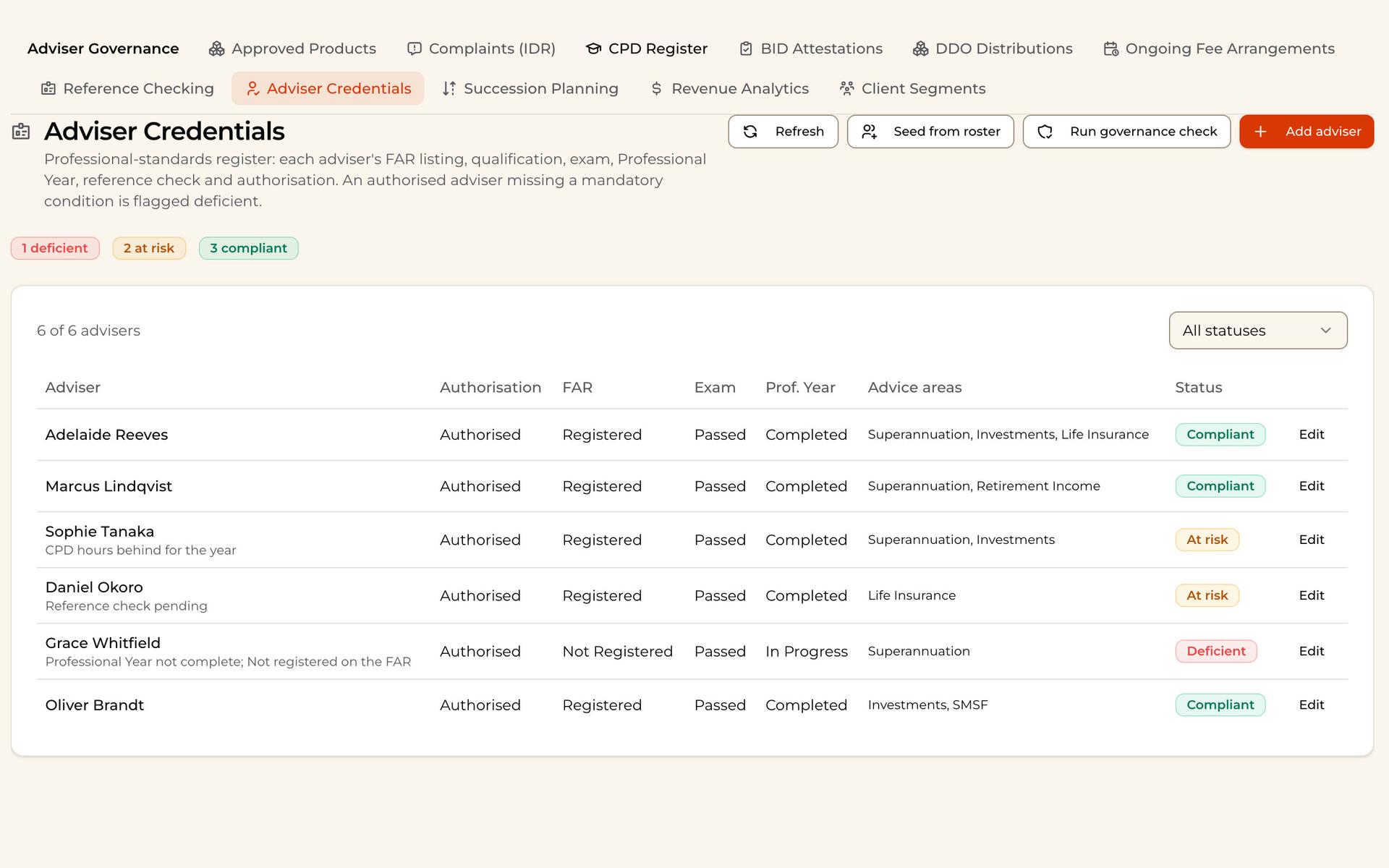
Every adviser governance register, in one place.
- Complaints (IDR)
- CPD register
- BID attestations
- Ongoing fee arrangements
- Adviser credentials
- Reference checking
- Succession planning
- Approved products
- Reportable situations
- Data breach register
- DDO distributions
- Board attestations
Hosted by BackPro in Australia. Or On‑prem, in your own GCP, AWS or Azure account.
Questions licensees ask.
See your network in one place.
Thirty minutes on video. We walk you through complaints, breaches and advice reviews the way your compliance team would see them.
Or email contact@backpro.ai