
Incidents, breaches and complaints. Each on its own clock.
Every incident is logged with the deadline it triggers and tracked from the moment you knew, with the evidence kept as you go and the agent’s findings ready to approve.
- APRA notification clock tracked on every CPS 230 incident
- 72 hoursAPRA notification clock tracked on every CPS 230 incident
- breach assessment window tracked under the NDB scheme
- 30 daysbreach assessment window tracked under the NDB scheme
- agent findings waiting for your approval each morning
- Overnightagent findings waiting for your approval each morning
When something goes wrong, the clock is already running.
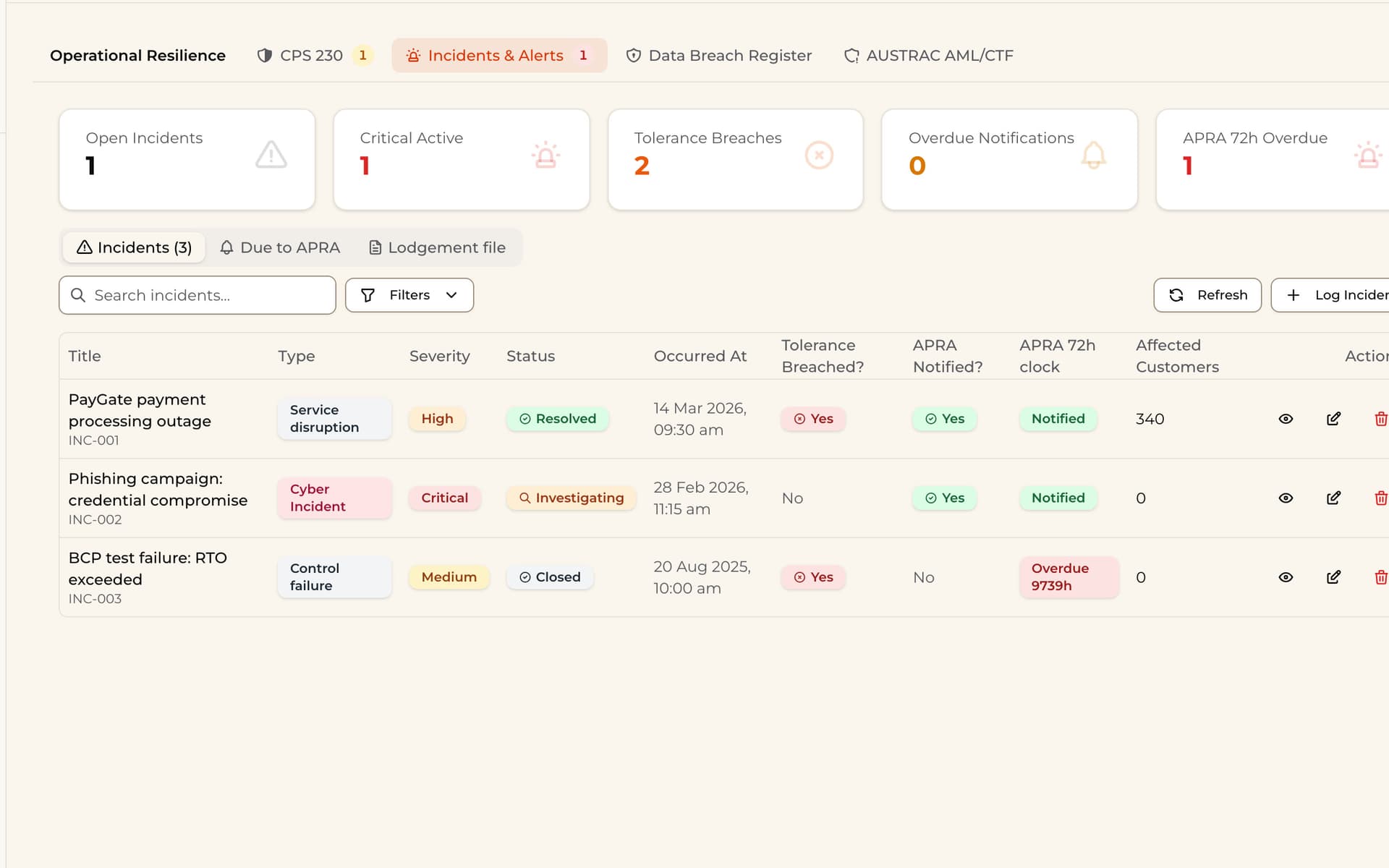
- 01
Log the incident
Severity, tolerance breaches and the APRA notification clock, on one register.
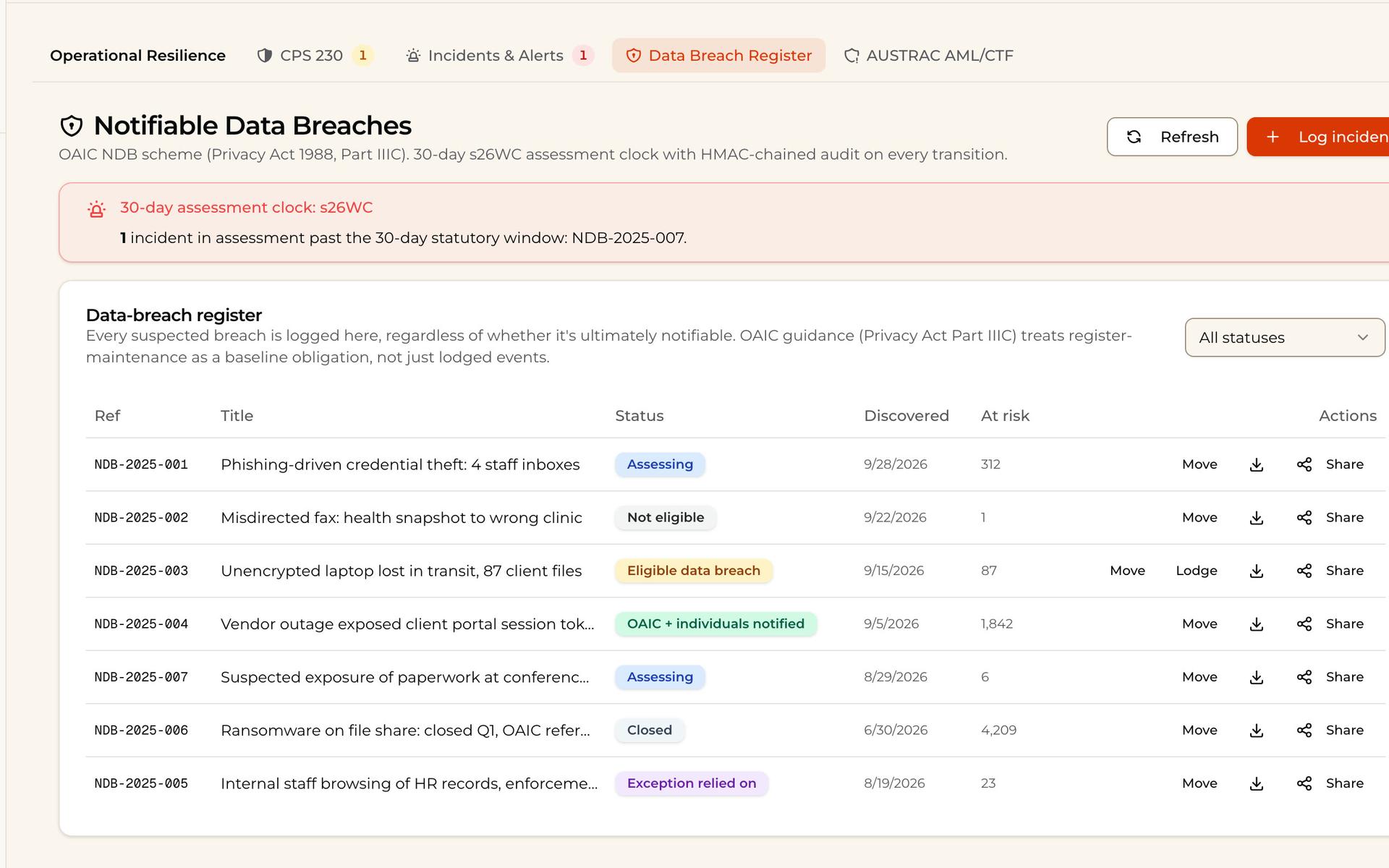
- 02
Assess the breach
Every suspected data breach is logged with its 30-day assessment clock, and anything past its window is called out.
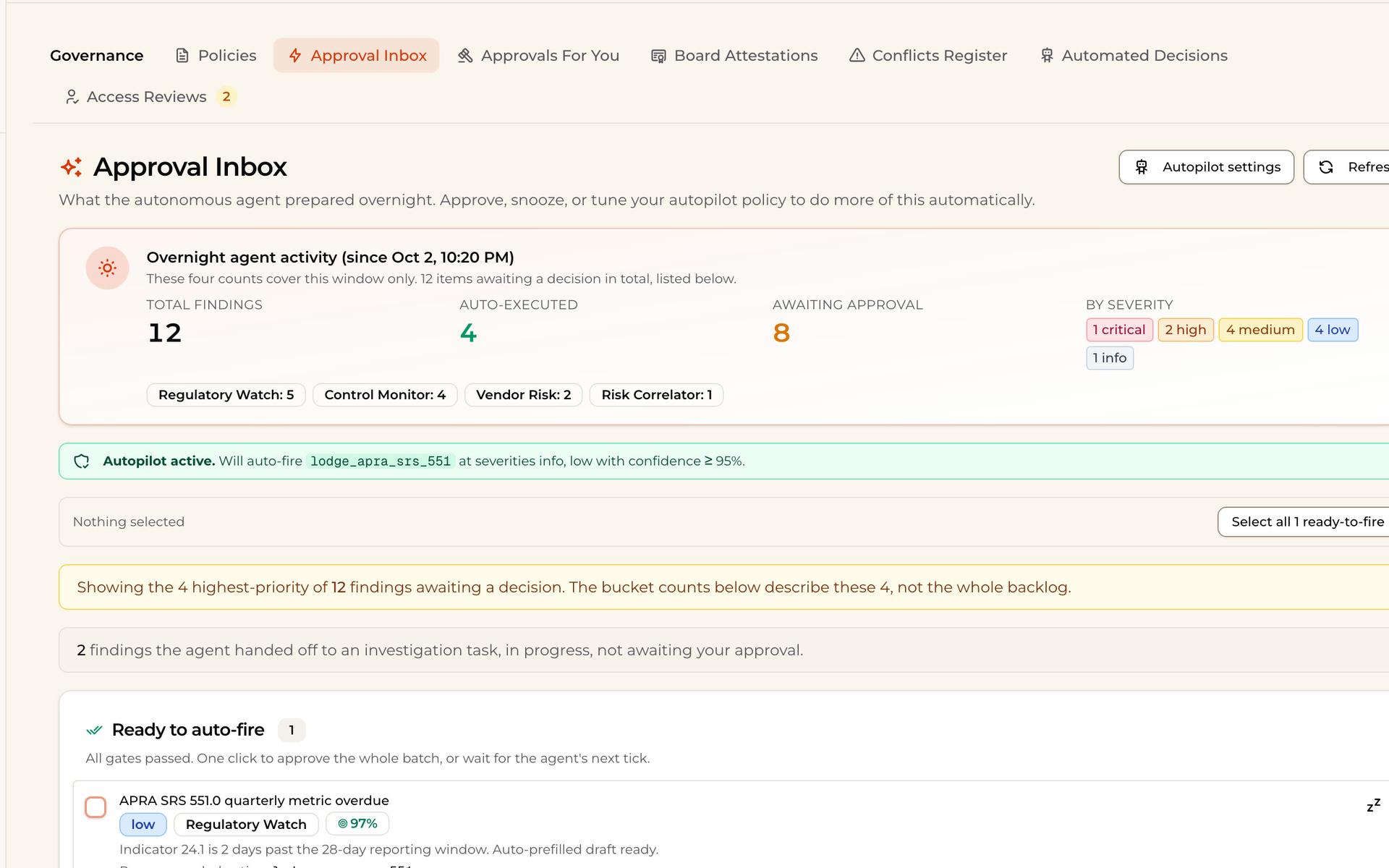
- 03
Approve what the agent found
Overnight, the agent sorts its findings by severity. Approve, snooze or let low-risk ones run on autopilot.
Incidents used to live in an inbox. Now each one has a clock.
What's included.
Incident register
CPS 230 incidents with tolerance and APRA clocks.
Data breach register
NDB assessments on the 30-day clock.
Complaints (IDR)
RG 271 complaints with acknowledgement and response clocks.
Reportable situations
Tracked from the day of awareness.
Approval inbox
Agent findings by severity, with autopilot for the low-risk.
Remediation tasks
Every finding becomes a task with an owner.
“Finally, AI our compliance team actually approves. Everything stays on our servers, audit trails are built in, and our advisers are spending time with clients instead of fighting Word templates.”
 Head of ComplianceFrazer Walker · AFSL holder
Common questions.
What does the Compliance Suite cover?
The incident register (CPS 230), the data breach register under the Notifiable Data Breaches scheme, complaints under RG 271, reportable situations, remediation tasks and an approval inbox.
How are regulator deadlines tracked?
Each incident carries the clock it triggers, such as APRA’s 72-hour notification or the 30-day breach assessment, tracked from when the firm became aware.
What is the approval inbox?
Overnight, the agent sorts its findings by severity. You approve, snooze or let low-risk items run on autopilot.
Does BackPro lodge notifications with regulators?
No. It tracks the deadline and keeps the evidence; your team decides and lodges.
Run every clock from one place.
Thirty minutes on video. We walk an incident from first report to closed, with every deadline in view.